CHEXX Mobile Nigeria: PWA, Telegram and Desktop Access
If you search for a CHEXX app in Nigeria, the useful answer is not a random app-store result. CHEXX provides browser access, an installable PWA, a Telegram Mini App and desktop access. The PWA can sit on a phone’s home screen and open like an app, but it is still web-based rather than a native iOS or Android casino app downloaded from the App Store or Google Play.
For most phone users, that leaves two practical choices: keep using CHEXX in a mobile browser, or install the PWA for a home-screen shortcut and a more app-like launch. Telegram is a separate access format for users who prefer that environment. The best option depends less on marketing labels and more on how you want to launch, update and secure the service on your device.
Three ways to use CHEXX from a phone or computer
| Access format | How it works | Best for |
|---|---|---|
| Mobile website | Open CHEXX directly in a supported browser without installing anything. | Occasional use or users who want the simplest setup. |
| PWA | Add CHEXX to the home screen or desktop through a supported browser. | Frequent users who want a dedicated icon and quick launch. |
| Telegram Mini App | Access CHEXX through its Telegram environment. | Users already comfortable using Telegram as an application platform. |
CHEXX also presents MacOS and Windows access alongside its mobile options. That makes the platform a multi-format service rather than a casino built around one native phone app. The key point for Nigerian users is to start from CHEXX’s own site or access instructions, not from an unrelated app with a similar name.
What a PWA is, in plain terms
A Progressive Web App is a website that can be installed from the browser so it behaves more like a dedicated application. It can receive a home-screen icon and launch in its own app-style window, but the underlying service remains web technology. That is why calling it a native iPhone or Android app would be misleading.
For CHEXX, the PWA page describes quick loading, home-screen access and device notifications as benefits. Because it is delivered through the browser, updates do not depend on waiting for a separate casino-app release in an app store. It also means browser support matters.
PWA versus native app
PWA
Installed from the web browser; web-based; can appear on the home screen.
Native app
Installed as a platform-specific application, typically through an official app store or direct native package.
CHEXX’s own mobile setup points users toward the PWA and Telegram Mini App rather than a verified native App Store or Google Play casino listing. That distinction is useful when searching, because app stores can contain unrelated products that happen to use similar wording.
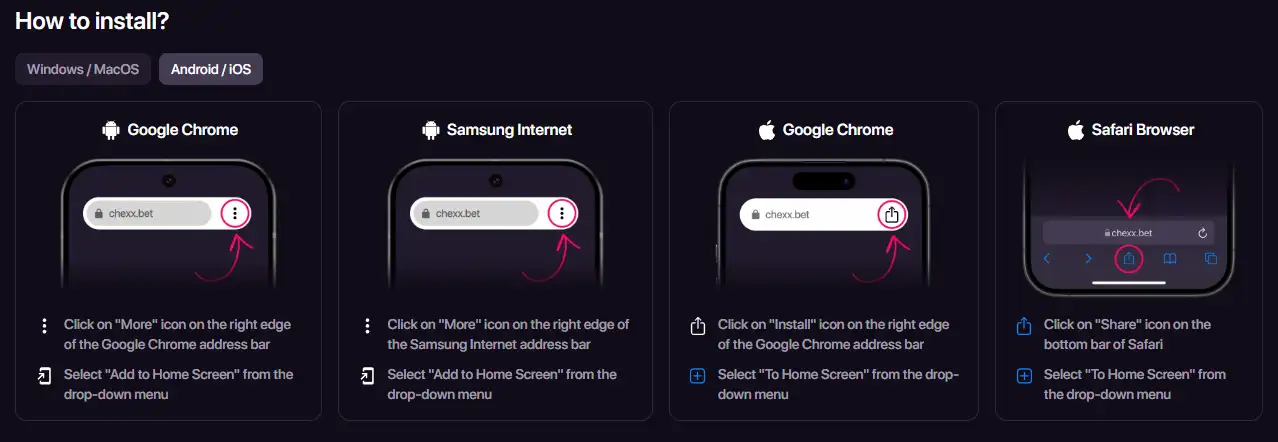
How to install CHEXX on Android
CHEXX currently lists Google Chrome and Samsung Internet as supported Android browser routes for its PWA. In Chrome, the installation path is to open CHEXX, use the browser menu and choose the option to add it to the home screen. Samsung Internet uses a similar menu-based home-screen action.
- Open the official CHEXX site in a supported browser.
- Use the browser’s installation or menu control.
- Select the home-screen installation option.
- Confirm the action and launch CHEXX from the new icon.
The exact wording of the browser menu can change between versions, so follow the current browser prompt rather than looking for a fixed button label. The PWA does not need to be found in Google Play to work through this route.
How to add CHEXX on iPhone
CHEXX lists Safari and Chrome for iOS PWA access. Safari uses the familiar Share menu and an Add to Home Screen action. CHEXX’s current instructions also describe a Chrome installation route on iOS.
For an iPhone user, the important security habit is the same as on Android: begin from the official CHEXX web address and use the browser’s own home-screen function. Do not substitute a similarly named app-store product just because it appears in search results.
Once installed, the PWA icon can make CHEXX feel closer to a dedicated application in daily use, but removing the icon does not close your account. It is simply an access method to the web service.
Telegram is a separate access route
CHEXX also provides a Telegram Mini App. This is useful for users who already keep Telegram installed and prefer opening services inside that ecosystem. It should be thought of as a distinct interface choice, not as evidence that CHEXX has a native casino app in Apple’s or Google’s stores.
Account access methods also include Email, Google, Telegram and WalletConnect. That gives Telegram users a natural route into the account ecosystem, but account creation itself belongs in the dedicated CHEXX registration. On this page, the practical point is simply that mobile access is not limited to a browser tab.
Mobile games and live casino access
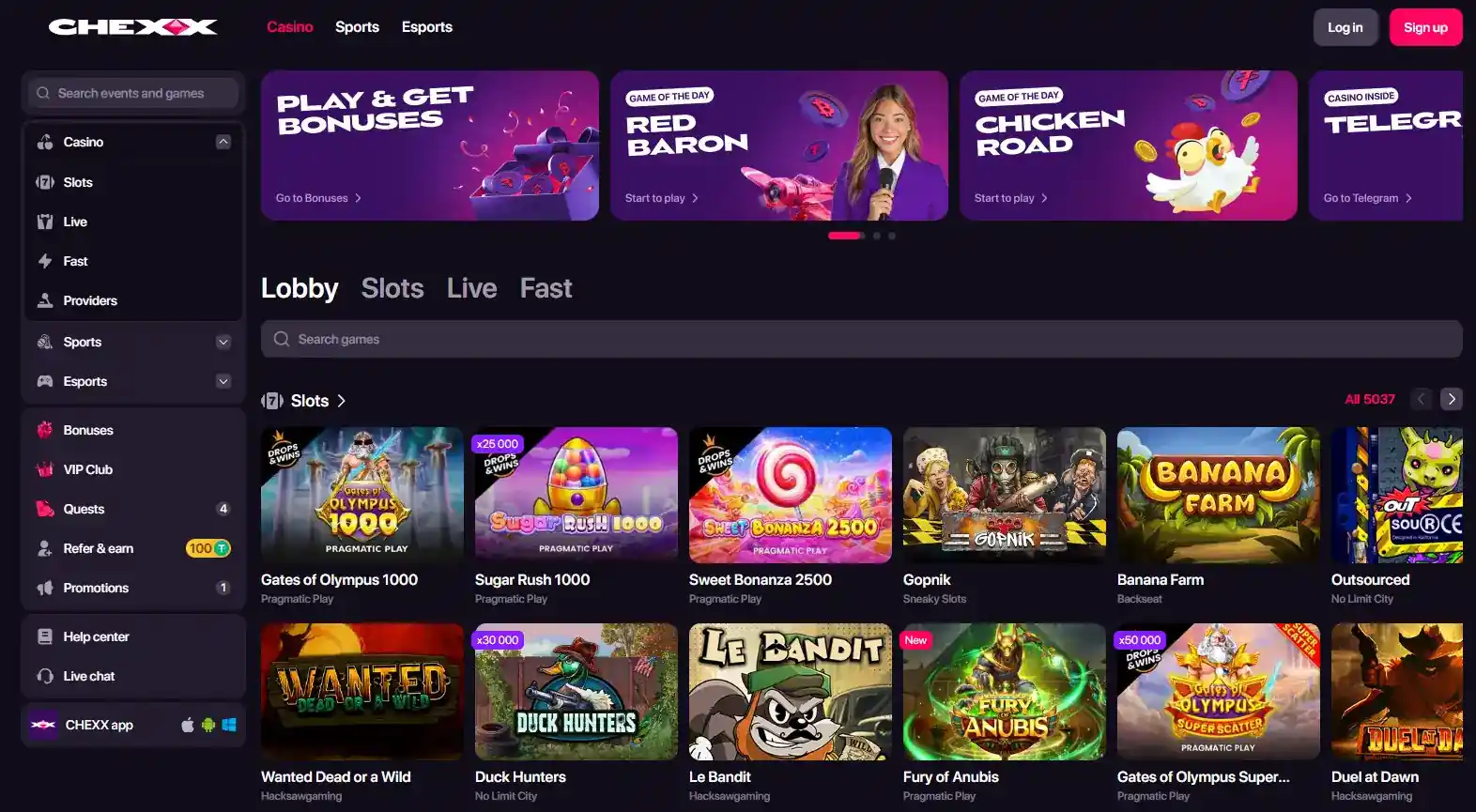
The mobile format does not create a separate casino catalogue. CHEXX’s game selection is part of the same service, so the relevant question is how comfortably your chosen browser or PWA handles the titles you want to play. For the catalogue itself, use the CHEXX games rather than judging the platform from the mobile installation page alone.
Live dealer play has an extra practical constraint: video sessions use more bandwidth and are more sensitive to connection quality than a simple sportsbook page or many slot interfaces. If live tables are your priority, test the experience on your normal connection before assuming that an installed icon will solve network limitations. The CHEXX live casino covers that format separately.
What changes when you install the PWA
The biggest change is convenience, not account capability. Instead of opening a browser, typing or selecting a bookmark and then navigating to CHEXX, you can launch from a home-screen or desktop icon. CHEXX also promotes device notifications through the PWA, which can make account and product updates more visible.
What does not change is equally important. The PWA does not turn CHEXX into a locally licensed Nigerian application, it does not create direct NGN payment rails, and it does not remove the normal need to secure your account. Payment mechanics remain crypto-based, and login security still matters whether you enter through a browser, PWA or Telegram.
Security habits for mobile access
- Start from the official CHEXX site when installing the PWA.
- Avoid unrelated app-store listings that only share the CHEXX or Chexx name.
- Use a screen lock on any phone that stays signed in.
- Do not share login or email confirmation codes.
- Review linked external accounts if you use Google, Telegram or WalletConnect access.
- Use the profile security controls if you need to change your password or confirmation method.
- Log out on shared devices rather than relying on the PWA icon as a security boundary.
CHEXX lists 24/7 support, which is useful if access problems involve the account rather than the browser itself. Browser installation issues, by contrast, may be specific to Chrome, Safari or Samsung Internet and can sometimes be solved by checking the current browser version and installation permissions.
Browser, PWA or Telegram: when each option is more practical
The mobile website is the easiest option to test because it leaves no installation footprint beyond normal browser data. It is a sensible first choice on a borrowed device, on a phone with limited storage, or when you simply want to see whether the interface works comfortably on your normal connection before adding anything to the home screen.
The PWA is better suited to repeated use. The home-screen icon removes a navigation step, and CHEXX’s current PWA page supports Chrome on Android, iOS, Windows and MacOS, Safari on iOS and MacOS, and Samsung Internet on Android. That breadth is useful, but it still depends on a compatible browser. If the installation option is missing, check the browser route first rather than searching an app store for a substitute.
Telegram is most practical when you already trust and regularly use Telegram on the same device. It avoids adding another standalone icon outside that environment, but it also means access depends on your Telegram session being secure. None of the three formats changes the underlying CHEXX account, so switching between them should be treated as a change of interface rather than a new account or a different casino product.
Which CHEXX format fits your device habits
If you only visit occasionally, the mobile website is the lowest-friction choice because there is nothing to install. If CHEXX is a frequent destination, the PWA adds a dedicated icon and app-like launch without requiring a native store download. If Telegram is already central to how you use services on your phone, the Mini App offers a third route.
The important choice is not which option sounds most like a conventional app. It is which one you can identify as official, launch reliably and secure properly on your device. For Nigerian users who expected a Google Play or App Store casino download, the PWA distinction is the detail that prevents the most confusion: CHEXX’s mobile experience is web-led, with Telegram and desktop formats around it, rather than dependent on a verified native mobile-store app. For the broader overview, see the CHEXX Nigeria review.
Written by the editors at Chexx Casino.